Fold for Android
Release notes for Fold on Android, newest first.
Notable in 1.11.81
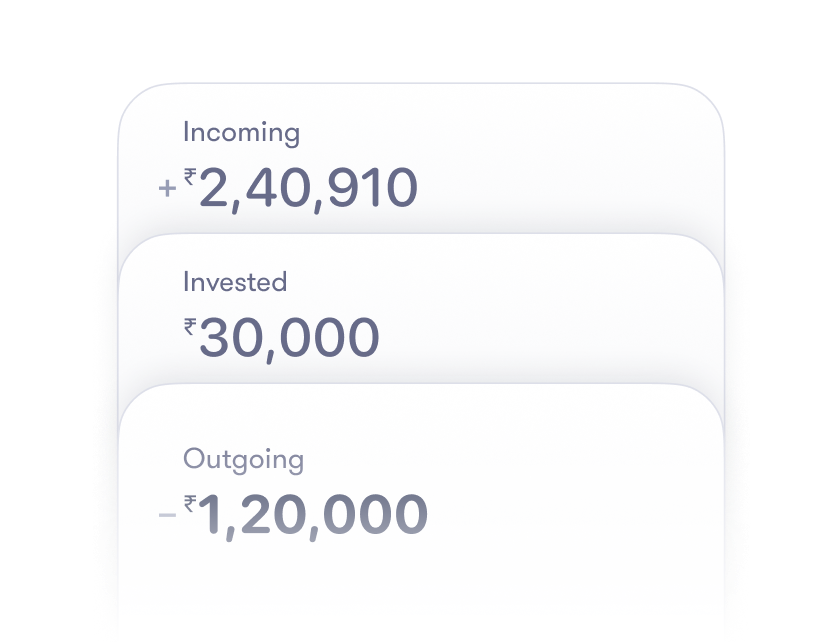
A more powerful Cash Flow widget with deeper insights and smarter filters.
Today, we’re making two changes: retiring the Spending Summary widget and making the Cash Flow widget more powerful.
Cash Flow can now do everything Spending Summary did, and more.
- See a breakdown of your outgoing transactions, incoming transactions, and investments.
- Dig deeper by filtering specific instruments and date ranges.
- Pick up where you left off. Your filters stay saved every time you return to the widget.
More details, more control, one less widget.
That’s simplicity. That’s Fold.
1.11.70 · Insurance is here!
Notable in 1.11.70
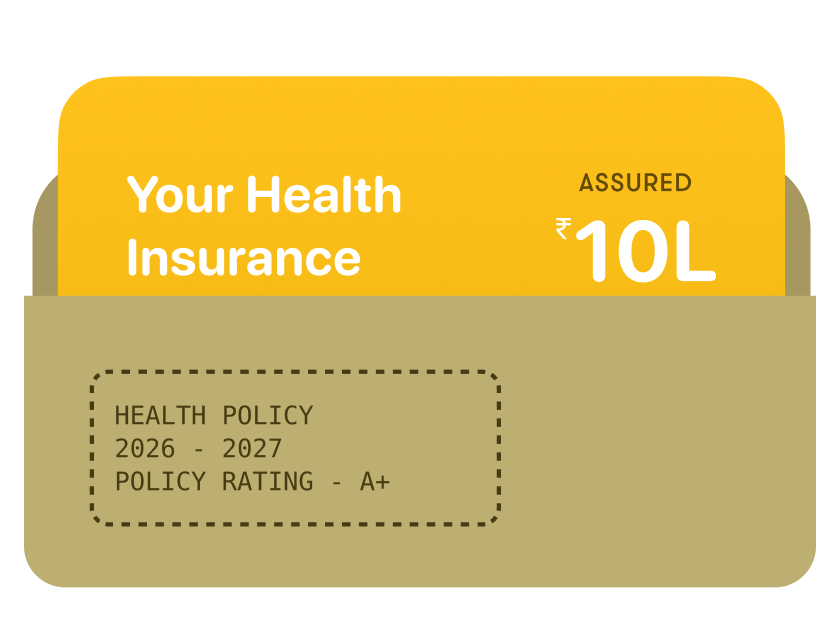
Add and understand your insurance on Fold.
Add your health insurance to Fold and keep your policy documents easy to access.
Your insurance forms the foundation of your financial life. So far, you had to store policies in your Documents folder along with everything else, sometimes struggling to even find the right PDF. And once you found it, you still had to understand what it said.
Starting today, you can add your insurance to Fold.
Fold keeps your insurance documents easy to access and helps you make sense of the jargon inside them. We pull out the things that matter, like your coverage, benefits, exclusions, waiting periods, room rent limits, and more.
We’re starting with health insurance, with support for more insurers and insurance types coming over time.
Your insurance deserves its own place. Now it has one on Fold.
1.11.66
This release brings two important updates to the Transactions tab: you can now pull to refresh to see newly synced transactions, and when you filter transactions, you can select all filtered transactions at once.
Fold Plus subscribers can now connect more than one Gmail account, so credit cards across different inboxes can all sync on Fold.
To add another Gmail account, go to your profile and tap Emails under Secure connections . You can also pick the right Gmail account while adding a card.
Notable in 1.11.60
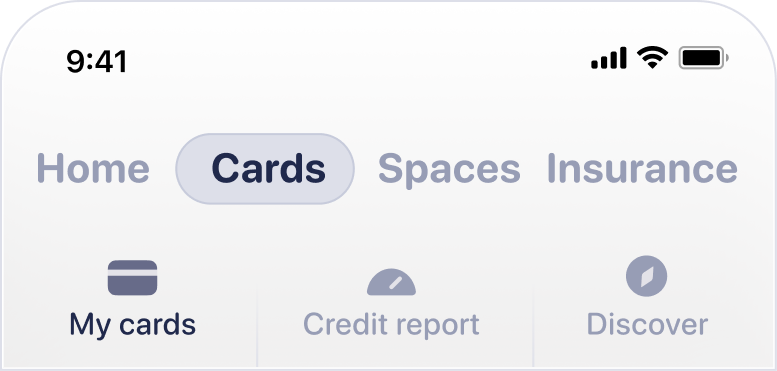
Your cards have a new home!
Credit cards, credit score, and loans now live in the Cards tab.
Your credit cards and credit score now have a space of their own, as they should.\ \ Head to the Cards tab from your home screen for a clean, unobstructed view of all your cards, total outstanding, and upcoming dues. Your credit score and loans live here too, so everything credit is now neatly under one roof.
Notable in 1.11.56
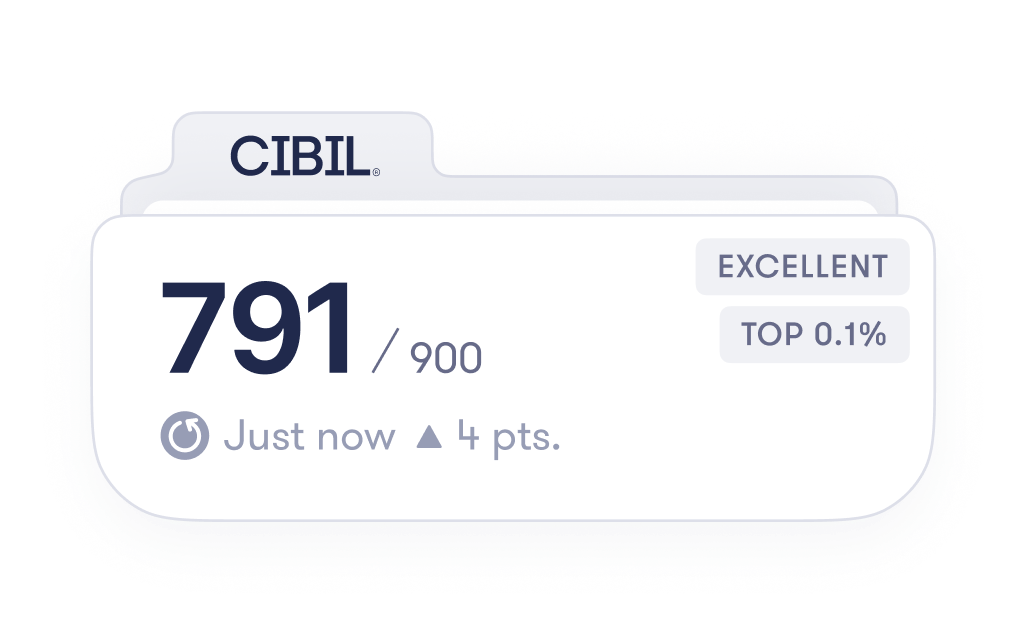
The safest way to monitor your CIBIL score.
Plus subscribers and Believers can now connect and monitor your CIBIL report on Fold.
In India, your CIBIL score is often the first thing lenders check. Fold Plus subscribers can now connect to and monitor their CIBIL report directly from Fold. To connect, go to your profile and tap on Score & Loans below your username. Once connected, you can check your CIBIL score, view your inquiry history, and download or share your report as a PDF. What gets measured gets improved, and this is another step toward achieving total financial awareness.
1.11.54
In this update, we’ve tightened a few screws behind the scenes, cleaned up some rough edges, fixed a bunch of issues, and made everyday flows feel smoother and more predictable.
1.11.52
In this update, we’ve tightened a few screws behind the scenes, cleaned up some rough edges, fixed a bunch of issues, and made everyday flows feel smoother and more predictable.
1.11.51
In this update, we’ve tightened a few screws behind the scenes, cleaned up some rough edges, fixed a bunch of issues, and made everyday flows feel smoother and more predictable.
1.11.50
You can now pay your Slice credit card bill on Fold. Also, if you know what an MCP is, we’ve got good news! Fold MCP is now available to our Annual and Believer subscribers. Head to Settings → Beta Playground → MCP to enable access.
1.11.49
In this update, we’ve improved the reliability of your Spending Summary. We fixed a few issues that occasionally showed outdated or incorrect states, so your spending insights stay accurate and up to date.
1.11.48
You can now add nicknames to fixed deposits to better reflect their purpose and make them easier to identify.
1.11.47
This update makes tracking your EPF on Fold faster, smoother, and more reliable.
1.11.45
In this update, we’ve tightened a few screws behind the scenes, cleaned up some rough edges, fixed a bunch of issues, and made everyday flows feel smoother and more predictable.
1.11.43
You can now track your PPF balance, add and view transactions, and see it alongside the rest of your money, taking us another step closer to showing your complete financial life in one place.
1.11.42
Mutual fund refreshes and new connections now happen in the background, keeping the rest of the app accessible.
1.11.41
You can now track your Slice credit cards to Fold.
1.11.40
In this update, we’ve tightened a few screws behind the scenes, cleaned up some rough edges, fixed a bunch of issues, and made everyday flows feel smoother and more predictable.
1.11.39
You can now mark credit cards as closed in Fold. Closed cards retain their historical data, but don’t sync or appear in places meant for active use.
1.11.38
You can now see your top and under performing funds, and compare each fund against its benchmark (a Fold Plus feature that’s temporarily unlocked for everyone in early preview).
1.11.36
In this update, we’ve tightened a few screws behind the scenes, cleaned up some rough edges, fixed a bunch of issues, and made everyday flows feel smoother and more predictable.
Money isn’t just about what you see on the surface — it’s also about the peace of mind that comes from knowing things just work. In this update, we’ve focused on tightening the screws behind the scenes: cleaning up rough edges, fixing a bunch of issues, and making everyday flows feel smoother and more predictable.
We’ve also made improvements to our EPF integration so it connects more smoothly. Update to the latest version to get the best experience.
1.11.34 · Spaces is here
Notable in 1.11.34
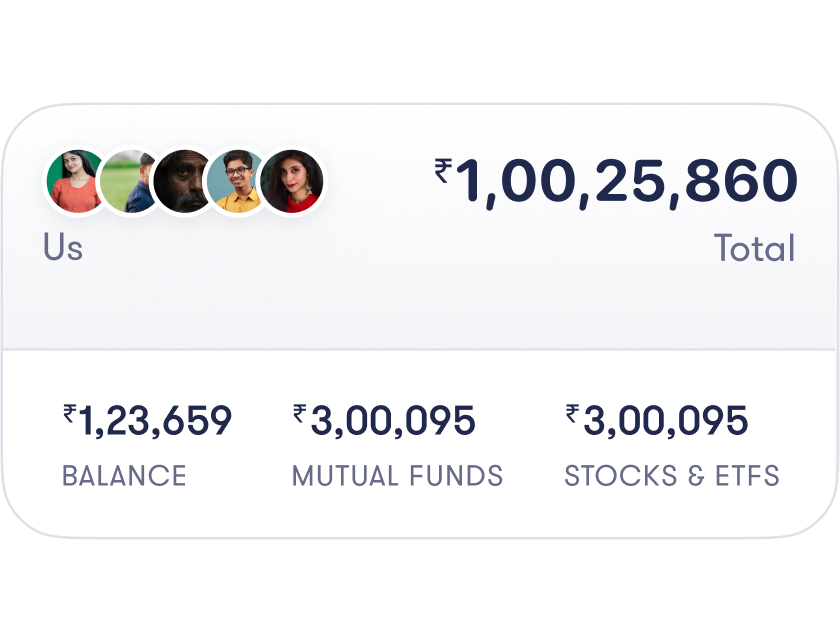
Fold Spaces is now live!
Invite your family. See the full picture, together.
Finance doesn’t always stay personal. It grows as you grow. With this update, we’ve made space for that growth right here on Fold. Head to the Spaces tab, join or create a new Space, invite your loved ones, and keep a watch on your money together.
1.11.33
With this update, we’re making room for some new beginnings. Insurance, Spaces, and Cards now have their own tabs, ready to take shape.
We’re back on improving Mutual Funds, and this release brings a lot.
- Redesigned navigation across tabs.
- The mini graph inside the Mutual Funds card now shows how your portfolio has changed over time (no more flat line).
- In the Funds tab, switch between Cards and List views. Visual or information-dense, your choice.
- In the Transactions tab, each month now shows total buy and sell amounts separately.
Fold Plus subscribers:
- You can now see your top and under performing funds, and compare each fund against its benchmark.
We hope this update helps you make more sense of your portfolio, especially in these trying economic times.
1.11.31
You can now compare your XIRR with the market benchmark in Mutual Fund analytics.
1.11.30
You can now mark bank accounts you’ve closed and are no longer using as closed on Fold. Closed accounts retain their historical data, but won’t be refreshed or appear in places meant for active use.

Notable in 1.11.29
You can now ask Radar follow up questions.
Turn Radar on from Settings > Beta Playground. Available with Fold Plus.
We’re rolling out a major upgrade to Radar, our AI chat. You can now access your chat history, ask follow-up questions without repeating context, and generate better graphs and pie charts directly within the conversation. Radar is available to Fold Plus users and can be turned on from Settings → Beta Playground.
It’s still early, and we’re continuously improving it. We’d love to hear your feedback!
1.11.28
For Fold Plus subscribers, we now surface smart tag suggestions while tagging. We’ve also fixed an issue with group name input while creating a transaction group.
1.11.26 · Refunds Made Easy
Notable in 1.11.26
Introducing Refund Center.
Handle split expenses, rent, and partial repayments without messing up your cash flow.
The ultimate test of a personal finance app is how well it handles the nuances of personal finance. One of the most complex ones for us to solve has been shared finances: when you spend money with friends or loved ones and get it back in parts. Paying rent with flatmates. Lending money to a friend who returns it in tranches. Things that tend to mess up your cash flow.
With this update, we’ve finally solved it.
Head to any transaction and tap Refund Center to begin. Meanwhile, allow us to give ourselves a small pat on the back.
1.11.25
Mutual Fund connections are back with a new web flow.
1.11.24
You’ll now receive notifications when your Fixed Deposit is about to mature or renew, and after it has matured or renewed.
- We’ve made some behind-the-scenes improvements to make connecting bank and demat accounts more reliable.
- If your Demat account connection fails due to depository or broker issues, you can now remove it and retry from Profile · Investments.
1.11.22
With this release, we’re rolling out much‑requested controls for Recurring Expenses. You can now Pause an expense, or Stop it when you’re done, without losing any historical data.
1.11.21
Fixed a critical issue that caused the app to close unexpectedly during the OTP verification process.
1.11.20
Plus and Believer subscribers can now try an early version of Fold Radar. Head to Beta Playground and enable AI chat, then access it from the central tab.
1.11.18
We’ve made some behind-the-scenes improvements to make connecting bank accounts more reliable.
We’re another step closer to full financial visibility. Starting today, you can track your EPF passbook directly on Fold. Your EPF balance now also appears in your Net Worth. Head to the Investments tab or scroll down in your Net Worth list to connect.
We’re another step closer to full financial visibility. Starting today, you can track your EPF passbook directly on Fold. Your EPF balance now also appears in your Net Worth. Head to the Investments tab or scroll down in your Net Worth list to connect.
This release brings the following enhancements and fixes - Add notes while tagging transactions: Attach notes easily when you’re tagging any transaction, just tap on Add a note! - Credit Cards: Last Cycle filter: In the credit card transaction sheet quickly view transactions from your most recent billing cycle to audit statements and track dues. - Re-establish connection: If any of your bank accounts is having issues syncing you can now try re-establishing connection without losing any data. Just head to Profile > Banks > Any bank and scroll down to find the Re-establish connection button. - Fixed an issue that caused the app to crash while sharing PDF of bank account details.
1.11.14
You can now create a Fixed Deposit even if your bank isn’t listed by choosing the generic “Bank” option.
1.11.12
We have made some much needed bug fixes and improvements.
1.11.11
This update brings a dedicated perks screen for our Fold Plus and Believer subscribers. We have also squashed some bugs and made the app even faster.
1.11.7
Bug fixes and improvements.
1.11.6
This release fixes issues in credit card onboarding and consent renewal for demat accounts.
This update contains the following enhancements and fixes:
* Fold Plus subscribers can now connect their American Express credit cards to Fold! * With Account In, if a credit card transaction ended up in the wrong billing cycle, you can now move it to the correct one. * We have added a brand new Business tag for business owners, this makes managing business expenses much easier. *
1.11.3
We’ve included several bug fixes and UI improvements.
1.11.2
Bug fixes and UI Improvements.
1.11.1
You can now update your Fixed Deposit’s maturity amount in case our calculation is slightly off.
1.11.0
Minor bug fixes and improvements, plus a major update waiting in your Profile.
1.10.3
Minor bug fixes and some UI improvements.
1.10.2
Now you can link your Scapia, OneCard, and AU credit cards to Fold. This release also fixes some issues related to credit card onboarding and app crashes.
1.10.1
We have fixed some credit score bugs, and included Cash on hand in the Net worth widget.
1.10.0 · Loans & credit score
Notable in 1.10.0
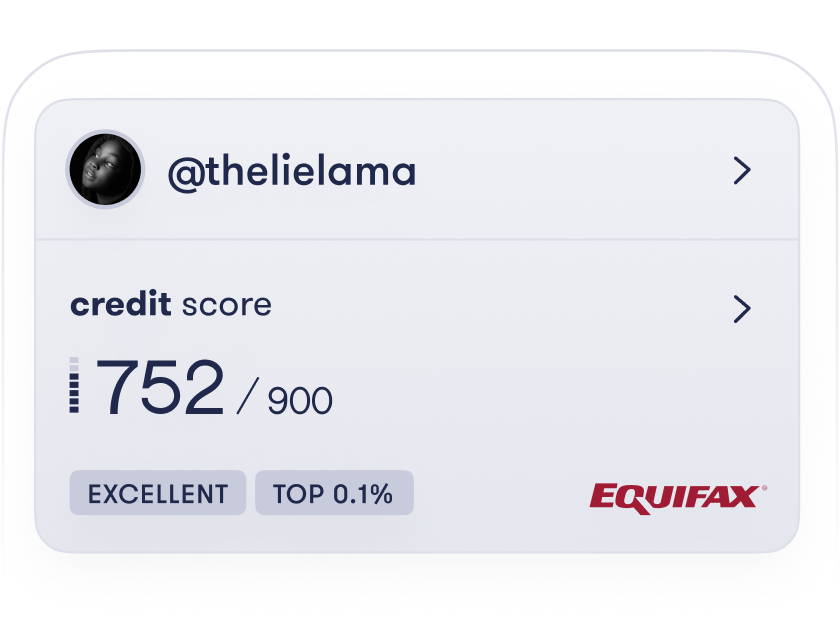
Credit score and loan tracking, now part of Fold.
Head to your profile to begin!
We’re one step closer to full financial visibility. Starting today, you can track your loans and credit score right on Fold. If you’ve got active loans, they’ll now show up in your net worth, so don’t be shocked if the numbers dip. It’s not a bug, it’s just adulthood.
1.9.26
Fixed an odd bug where text showed up backwards while creating a group.
1.9.25
Fixes SBI data refresh issues. Tap on fix now to update the consent once.
1.9.24
This release contains a couple of enhancements and bug fixes:
- When your transaction search comes up empty, we'll now suggest looking through your tags, notes, narration and other details instead - all with a single tap.
1.9.23 · Manage cash better
Notable in 1.9.23
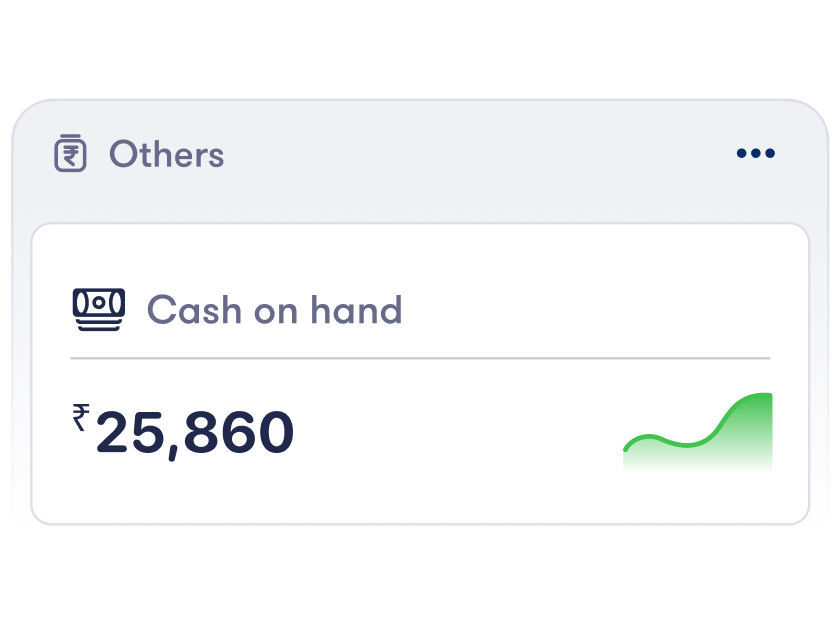
Manage cash transactions better with ‘Cash on hand’.
Manage your cash transactions more effectively with this update. Under the ‘Others’ widget on your home screen, find ‘Cash on hand’ to set your initial balance and add transactions as usual. Cash on hand also affects your Net worth, making it more accurate.
1.9.22 · Mutual Fund Insights
Notable in 1.9.22
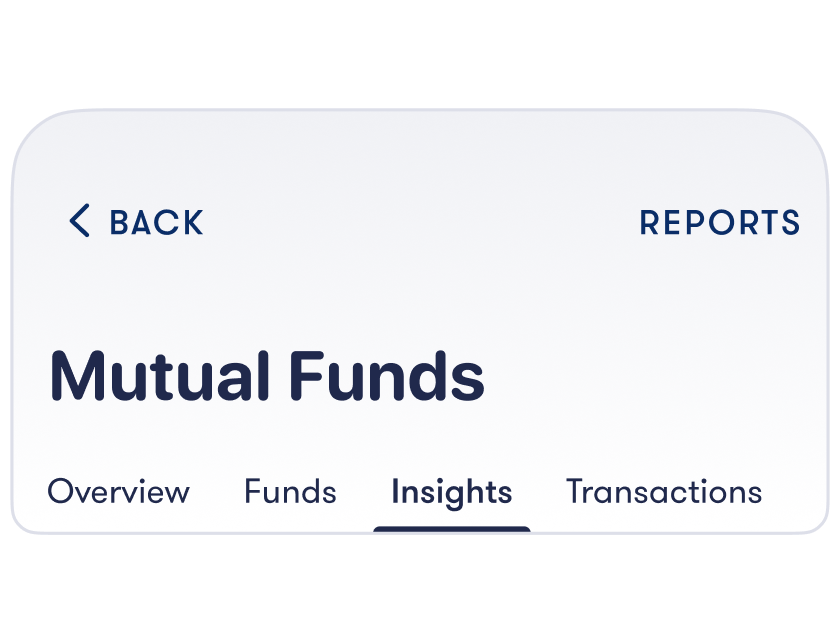
Your Mutual Funds portfolio now has deeper, actionable insights.
Mutual Fund insights are here! You can now see scheme-wise XIRR for each fund, whether it’s Direct or Regular, along with a complete list of your mutual fund transactions. Dive into your asset allocation, market cap split, and fund categories to better understand your portfolio. You can also search through your transactions and funds to find exactly what you’re looking for. Update and get deeper visibility into your investments!
This update adds two new more things:
- A new Android widget! See today, weekly, and monthly spending right on your home screen.
- Fold finds possible duplicate transactions sent by the banks and surfaces them for easy hiding.
1.9.21
We’re introducing the ability to view your credit card reward points, EMI transactions, and hidden charges directly on Fold. Just enable “Retrieve credit card transactions and rewards from your statement” under Settings > Beta Playground.
1.9.20 · Check this out!
Notable in 1.9.20
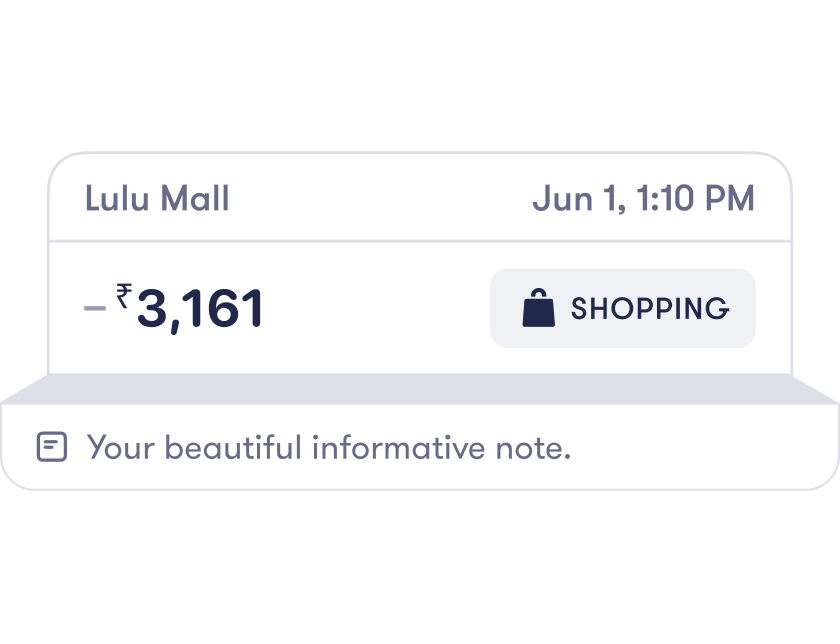
Transaction cards now show your added notes.
Now the notes that you add to your transactions show up right on your transaction cards. Because more context equals more awareness equals more savings, and a happier life!
1.9.19 · NPS is now live!

Notable in 1.9.19
You can now track your NPS investments on Fold!
With this update, you can now track your NPS portfolio on Fold. Just head to the Investments tab, find NPS, and press ‘Connect’. Your retirement savings now sit right alongside everything else.
1.9.18
Enhanced the date and time selection experience for manual transaction entries, making it more intuitive and user-friendly. Additionally, resolved a crash issue that was affecting certain devices to improve overall app stability.
1.9.17
Fixed an issue where the profile picture would flip when cropping and zooming.
1.9.16
Fixed a crash when editing transaction tags on some devices, and an issue preventing Google account switching while adding credit cards.
If your credit card statement hasn’t arrived and you’re stuck in the awaiting statement state, you can now mark it as received manually. In credit card detail view, tap on “Statement not detected?”, follow the steps, and then tap on “Mark statement as received”.
The Edit Home Screen sheet now has a fresh new look.
Resolved issues causing the transaction tag update to fail in some cases.
1.9.14
The Investments widget now mirrors the order of your instruments from the Investments tab.
You can now personalize your Credit Cards with nicknames to better reflect their purpose, whether it’s for travel, shopping, or anything else. Just head to Profile → Credit Cards, select your card, and tap the card name to add a nickname.
You can now view your credit card PDF statements straight from the credit card history view. Just head to any card and tap the clock icon on the top right.
You can now review newly added transactions right from the top of the Transactions tab after each daily refresh.
Searching for transactions just got easier - you can search using keywords from the narration, like descriptions or specific details, to quickly find the transactions you need.
And if you’ve been loving Fold, sharing it with a friend is now easier than ever. Just go to your Profile and share the app with a tap!
1.9.11 · Net worth is here
Notable in 1.9.11
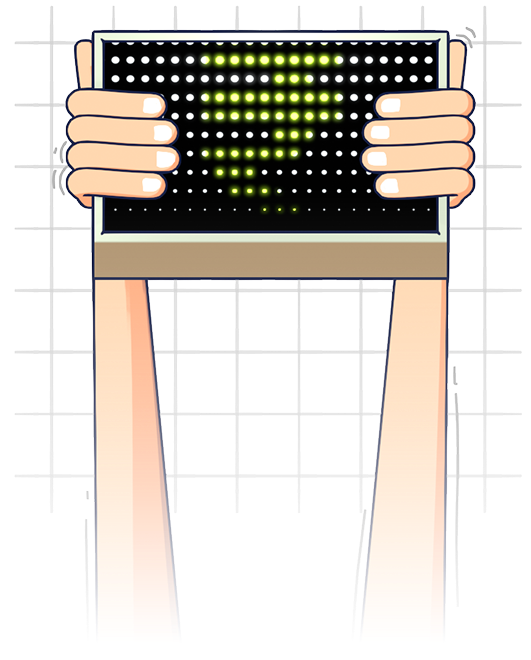
You can now track your Net Worth right from Fold!
You can now track your Net Worth right from Fold! Just open your Fold home screen, look right below your name, and tap ‘Set up’ to get started. We know you’re working towards some big net worth goals, we built this feature to help you track, plan, and get there faster.
1.9.10
We now notify you if in a rare scenario your credit cards stop syncing, so you can quickly sign back in and keep tracking.
1.9.9
Resolved issues affecting cash flow calculations.
Insightfulness is at the heart of the notifications we send. With this update, you can now set up alerts for your bank accounts when the balance drops below a certain amount. Just head to Settings, tap on Banks, choose a bank, go to Balance alerts, set your threshold, and turn on the “Send balance alerts” toggle. That’s it! we’ll give you a heads-up when your account dips more than you’d like. We’ve also made some improvements to the Transaction Groups. With this update your Transaction Groups now re-order by last edited. More exciting than that, is that when you now go into your Transaction Group settings, you’ll find a brand new Export Transactions button. Use it to keep a backup or quickly send someone a .csv to settle up.
1.9.7
Fixed a bug that was causing the app to be glitchy and crash occasionally.
1.9.6
In this release, we’ve fixed an issue that caused the app to crash on launch.
1.9.5
In this update, we have revamped our Credit Card architecture to be more robust with a new enhanced system. To opt-in, head over to Settings → Beta Playground and Tap “Switch”!
1.9.4 · You’ll love this
Notable in 1.9.4
Icon-wise insights on your spending.
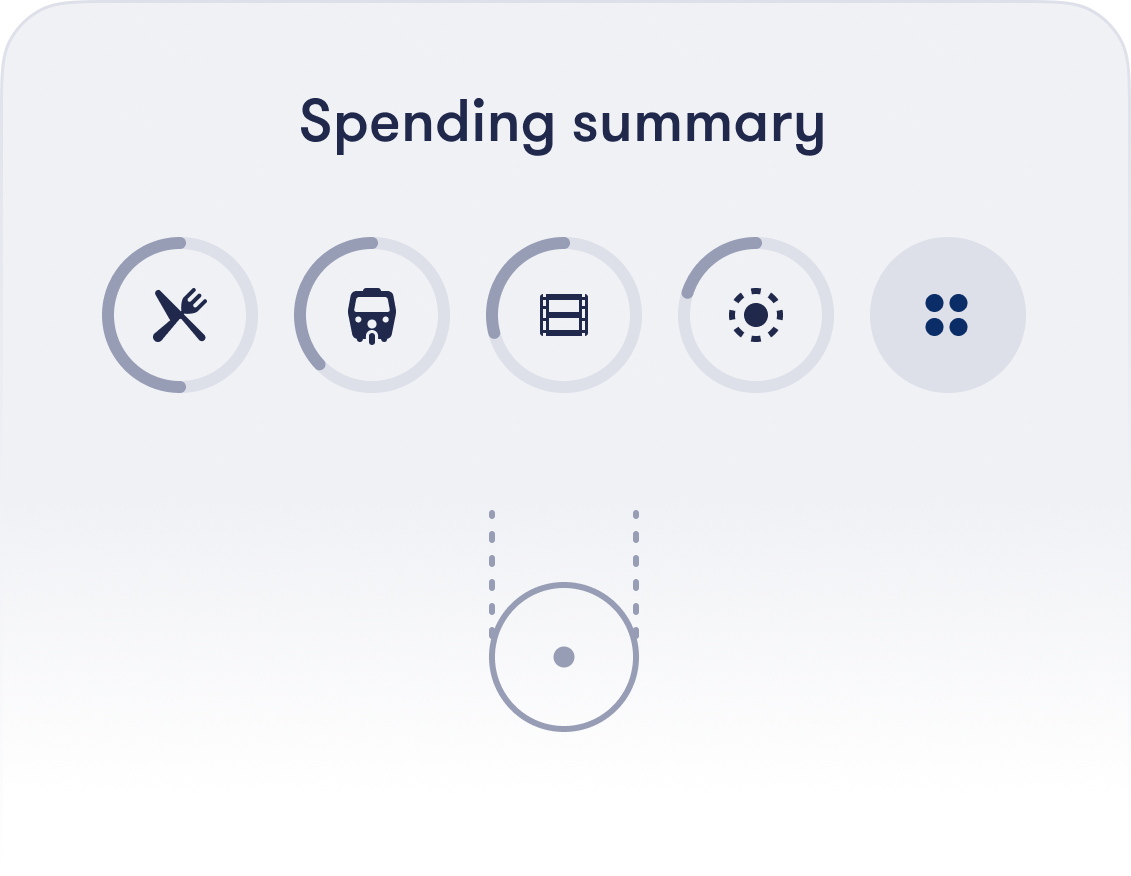
You can now see your spending in more detail with icon-based insights, going beyond just broad categories.
With this release, we’re adding what’s been painfully missing from Fold—an icon-based breakdown of your spending. Now, when you open your Spending Summary, you’ll see a row of icons at the top. Just swipe down or tap the expand button to view the full breakdown.
Tap any icon to dive deeper into trends and graphs. You’ll also find the icon-based breakdown under any broad tag’s graph.
Notable in 1.9.3
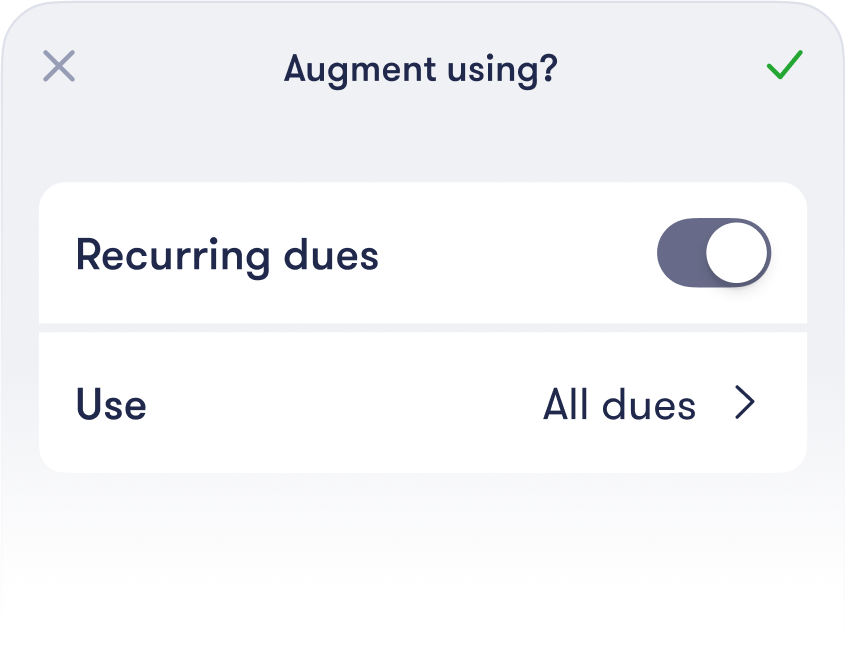
Augment your balance using recurring dues.
You can now augment your balance with recurring dues too, not just credit card outstanding.
With this release, you can see your total balance adjusted for both credit card outstanding and your upcoming dues. Simply go to your Total Balance widget settings, turn Augment total balance on. Tap on “Using” row, and turn on Recurring dues. If you’re actively tracking just one account, tap on the icon on the top right of the balance card to augment.
This enhanced augmented balance gives you an even more complete view of your true financial standing, helping you plan, spend and save with greater confidence.
Fold’s home screen just got smarter with a brand-new personal finance widget! Introducing the Bills Widget—a seamless way to pay your most important bills in just a tap. Plus, it keeps upcoming dues front and center, so you never miss a payment.
Bug fixes and Improvements
- Fixed an issue where the app crashed when adding bank accounts for a few users.
- Fixed an issue where manual transactions were not shown for refund selection.
Notable in 1.9.0
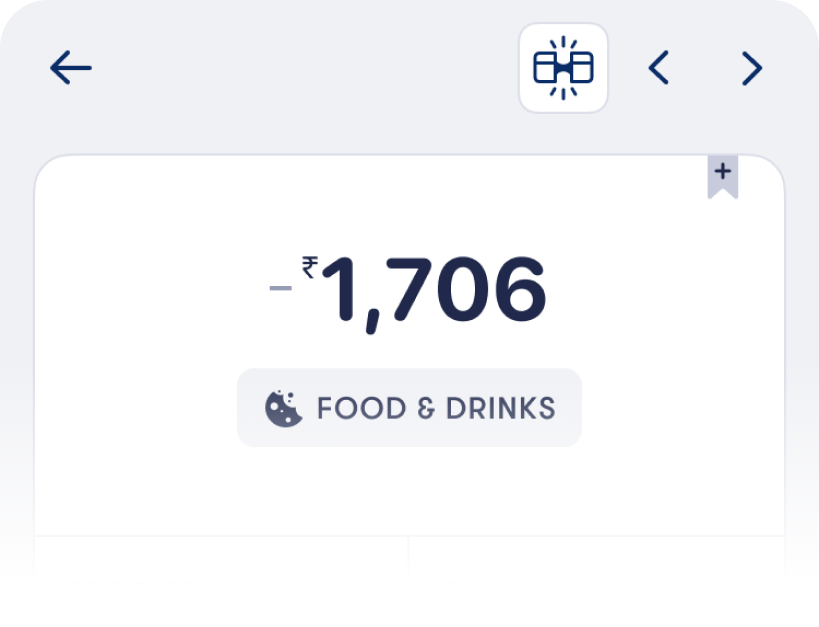
Split transactions
Ability to split transactions into multiple sub transactions. Head to a transaction’s detail view and tap the split icon.
This update brings you the ability to split any transaction into multiple unique ones, each with its own merchant, tag, and notes. Bought dairy, clothes, groceries, and fruits at the shopping mart? No need to tag it all as ‘shopping’—you can break it down into specific transactions with the right tags. Or imagine going out for dinner with friends and covering the bill—you don’t have to tag the entire expense as ‘Food & Drinks.’ You can split it into one part tagged as ‘Food & Drinks’ for what you spent on yourself and another part tagged as ‘Lent’ for the amount you covered for your friends. The possibilities are endless. Tap on any transaction and look for the split icon on the top right. Bug fixes and Improvements
- You can now scan a receipt directly by choosing Scan while adding receipts. - You can now edit the last 4 digits of your credit card in-case your card details have changed. - We now normalise your spending summary graph to give a more accurate spending summary trend. - Fixed credit card syncing issues with Bank of Baroda Credit Cards.
Notable in 1.9.1
Split transactions
Ability to split transactions into multiple sub transactions. Head to a transaction’s detail view and tap the split icon.
This update brings you the ability to split any transaction into multiple unique ones, each with its own merchant, tag, and notes. Bought dairy, clothes, groceries, and fruits at the shopping mart? No need to tag it all as ‘shopping’—you can break it down into specific transactions with the right tags. Or imagine going out for dinner with friends and covering the bill—you don’t have to tag the entire expense as ‘Food & Drinks.’ You can split it into one part tagged as ‘Food & Drinks’ for what you spent on yourself and another part tagged as ‘Lent’ for the amount you covered for your friends. The possibilities are endless. Tap on any transaction and look for the split icon on the top right.
Bug fixes and Improvements
- Fixed an issue where tapping "Refresh" from the Mutual Funds card would incorrectly navigate to the list of mutual funds instead of opening the refresh screen.
1.8.3
We've given your Home screen a fresh new vibe with a subtle rearrangement. Wishing you a joyful, financially aware, budget-conscious, interest-free, savings-boosting, tax-efficient, expense-tracking, debt-free, prosperous New Year!
Get the latest version
Fold tracks your bank accounts, credit cards, loans and investments in one place, automatically. Download Fold for iPhone or Android, or use it on the web with Fold Plus.