Fold on the web
Fold has a web app at view.money for Fold Plus members. Scan a QR code from the Fold app to log in on a computer, then browse and filter your transactions, export them to CSV and download bank statements. Release notes, newest first.
Notable in 16 Sep 2024
Credit card and bank transactions in one list, with CSV export.
We’re focused on making our mobile apps the best finance tool, but we also continue to enhance our web app.
Now on Fold web you can:
- View credit card and bank transactions in one list.
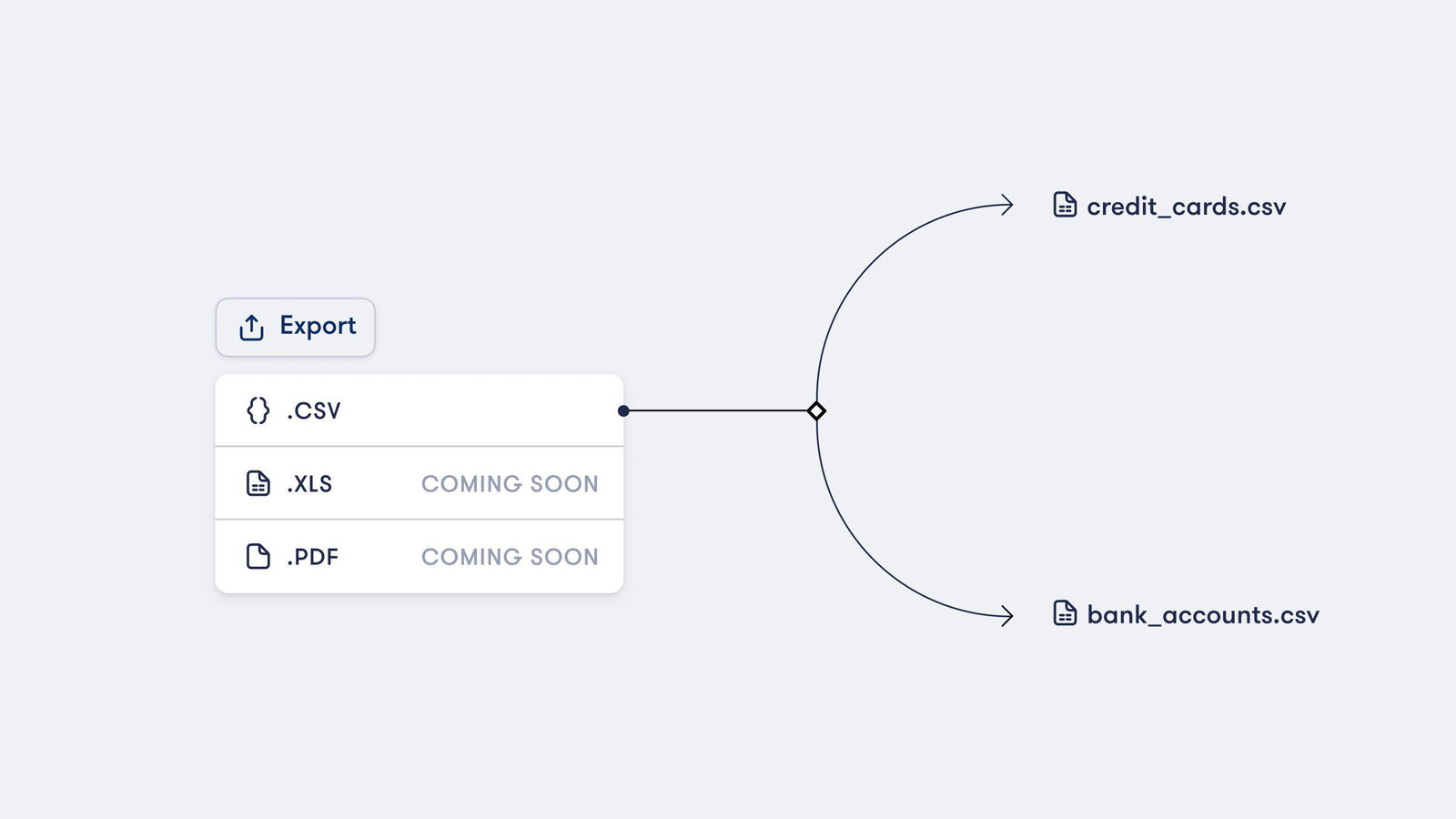
- Export a CSV of your transactions, with a separate file for credit card transactions.
With this release, we have also fixed bugs related to merchants not updating.
Update
We shipped a demo web app for your friends who are not on Fold: demo.fold.money. See a simple consolidated view of all your finances. Never visit your bank's website again.
2.11.8
- Fixes a bug where removing payee/payor from a transaction would not work.
- You now see a toast whenever a new version of the web app is available.
- A lot of behind-the-scenes improvements and fixes.
- Some unhandled errors were showing up in the web app and causing the UI to crash. This should happen far less often.
- "No icon" is now selected by default when the tag edit panel opens, if the tag was saved with no icon.
- Fixes a bug where, when bulk tagging, the tag edit panel would sometimes show the previous tag and icon.
- Fixes a bug where hovering over another tag button would reset the search results in an already open tag edit panel.
- The UI would break if the notes text box was enlarged on the details page. This is now fixed.
- A few small fixes and improvements.
- Onboarding: we now show a short introduction to the web app the first time you log in.
- Better multi-select: if you select a few transactions and then apply a filter, the ones that match stay selected and the rest are unselected and removed from the list.
- A lot of visual improvements: updated icons, typography, colours and more.
- Fixes a bug where merchant names were cut off with an ellipsis on the transactions page.
- Fixes a bug where the selected transactions count wouldn't reset when those transactions were filtered out.
- We no longer show the Recent section in merchant suggestions when there are no recent merchants.
- Pressing Enter in the merchant field would sometimes remove the payor/payee. This is now fixed.
2.10.35
- Improved randomisation logic for amounts.
- Visual improvements, a lot of them.
- Merchant names are no longer randomised in fake data mode.
- Fixed a bug where the Export menu wasn't shown properly when the minimised transaction detail panel was open. We also removed that scroll bar altogether.
- Merchant suggestions had an issue on the transactions page when the list had only a few transactions. This is now fixed.
- Better responsiveness, so the app works on many more in-between screen sizes.
- The transaction filters panel used to break on smaller screens. We made it compact by removing the button labels, and added visual hints that show when a filter is applied.
- Fixed an issue where bank logos would get squeezed on smaller screens.
2.10.28
- Fixed an issue where the scrollbar was breaking rounded corners in some places.
- Firefox: fixed an issue where you would see the login page even when logged in.
2.10.26
- Fixed an issue where scrolling while the Category panel is open would make the panel go blank.
- Faster loading of Category panel items the first time it opens.
- Improved category search, powered by the revamped F1 engine.
- Fixed: a custom merchant wouldn't show up in search results until the page was refreshed.
- Fixed: filters on the transactions page would sometimes not apply properly.
- Fixed: selecting a month threw an error in the Spending Summary widget.
- Two new filters, Untagged and No Merchant, with counts, so you can tag all of your transactions. They work with other filters and search results.
- The "X untagged transactions" link now uses the right filter on the transactions page.
- Fixed a bug where an empty name could be added as a contact.
- New, improved transaction search.
- Export transactions as CSV: export everything, apply filters and export the results, or select a few transactions and export just those.
- A few visual fixes to spacing and text sizes.
- Fixed average amounts not changing symbol in fake data mode.
- More consistent rounding.
- Fixed the Category panel width when both incoming and outgoing transactions are selected for bulk actions.
- Updated the Bank icon in the navigation bar.
Get the latest version
Fold tracks your bank accounts, credit cards, loans and investments in one place, automatically. Download Fold for iPhone or Android, or use it on the web with Fold Plus.