Android 1.9.1
Released
Notable in 1.9.1
Split transactions
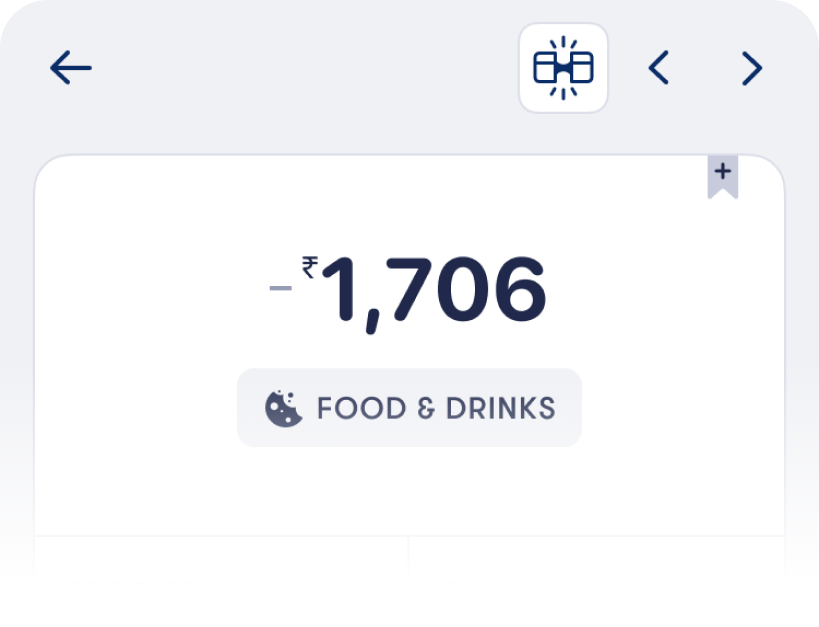
Ability to split transactions into multiple sub transactions. Head to a transaction’s detail view and tap the split icon.
This update brings you the ability to split any transaction into multiple unique ones, each with its own merchant, tag, and notes. Bought dairy, clothes, groceries, and fruits at the shopping mart? No need to tag it all as ‘shopping’—you can break it down into specific transactions with the right tags. Or imagine going out for dinner with friends and covering the bill—you don’t have to tag the entire expense as ‘Food & Drinks.’ You can split it into one part tagged as ‘Food & Drinks’ for what you spent on yourself and another part tagged as ‘Lent’ for the amount you covered for your friends. The possibilities are endless. Tap on any transaction and look for the split icon on the top right.
Bug fixes and Improvements
- Fixed an issue where tapping "Refresh" from the Mutual Funds card would incorrectly navigate to the list of mutual funds instead of opening the refresh screen.
Try it on your phone
Download Fold to track your bank accounts, credit cards, loans and investments in one place, automatically.