
A "lame" heuristic we use to judge the complexity of a feature is how dense the flow lines in the Figma handoff file appear. In a way, the fewer the lines, the fewer taps an end user has to perform to get something done.
Out of all the features we’ve implemented, a better way of managing refunds went through the most iterations, starting from a dense cobweb of lines to something that now looks reasonable enough to ship.
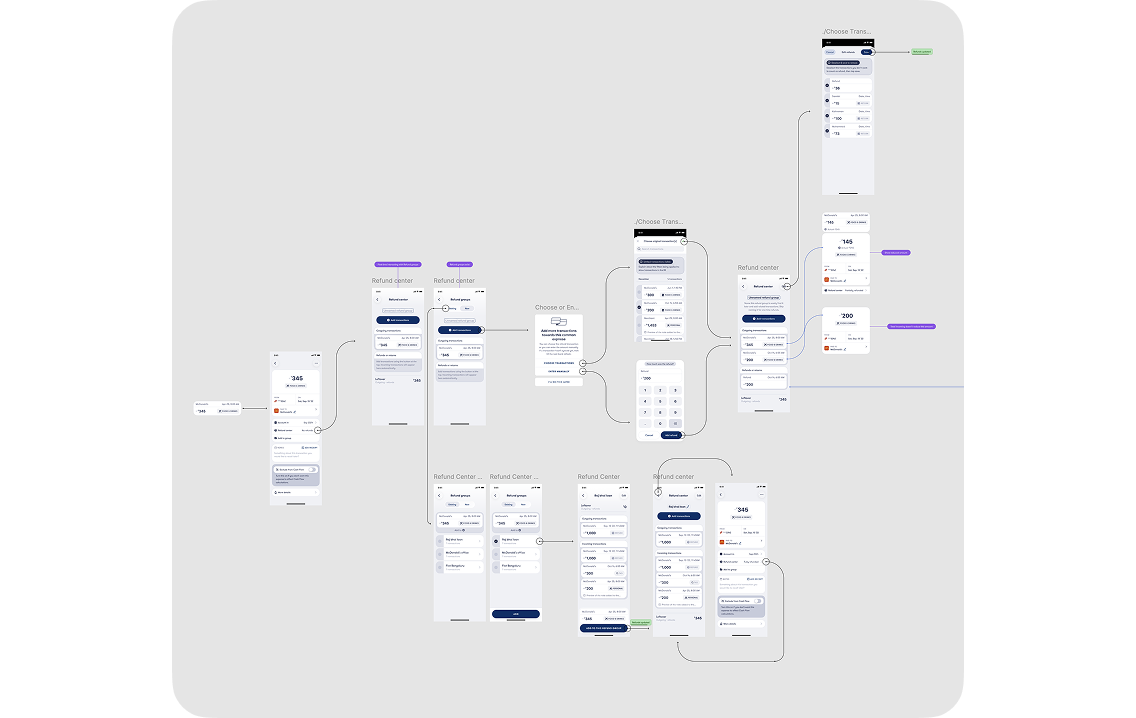
This post is part announcement, part behind-the-scenes, and part demonstration of how the feature works.
The snag we kept hitting with refund management was that the nuances involved are multidimensional and, frankly, a bit messy.
The simplest case is a one-time full refund, for example from a merchant like Myntra or Amazon. One transaction cancels the other completely, your cash flow remains clean, and you move on.
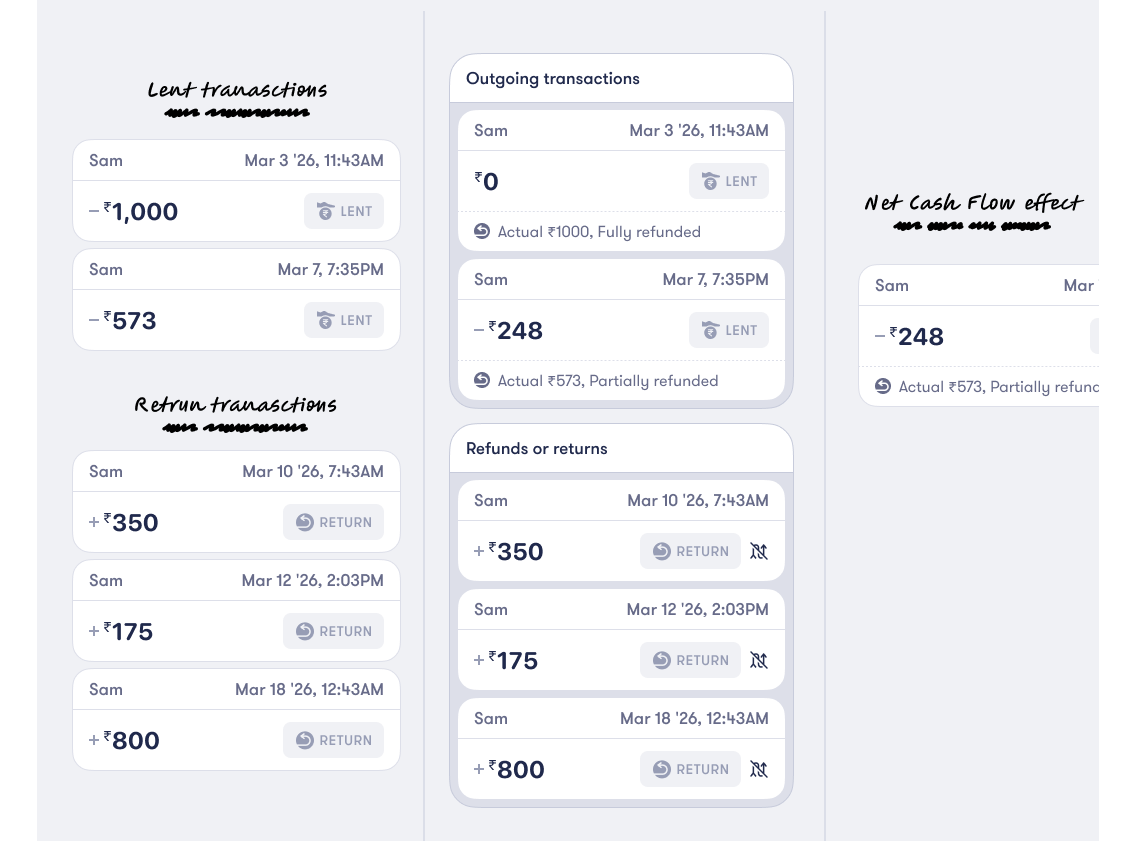
It gets more complex when only a partial refund is issued. It gets even more complex when refunds happen in tranches, for example when you lend money to a friend and they return it in parts over time. Sometimes it even overshoots the original amount, flipping the situation and making you the one who owes.
We noticed that users were already trying to handle these nuances using the Split transaction feature. A feature not built for this purpose, and therefore endlessly cumbersome.
The goal we discovered people were after was simple: keep cash flow clean and non-inflated.
So we got to work on a new refund system. Here’s how it works:
In every transaction’s detail view, you’ll now find a row called "Refund center."
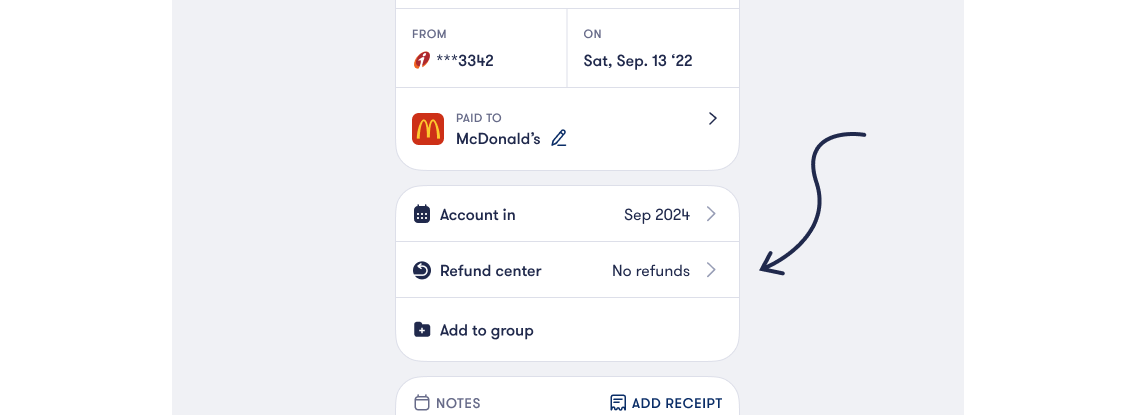
For one-time refunds, you can simply "Add a transaction." The original transaction’s amount gets reduced by the refunded amount, and if the refund is used fully, it is excluded from your cash flow. So the only thing affecting your cash flow is the remaining amount in the original transaction. All of this happens in at most four taps.
Now imagine there is another related spend, or a scenario where you are lending money in parts. You can keep adding transactions. They are listed chronologically, and refunds are applied to them one by one. You can also add multiple refunds, which get used up sequentially.
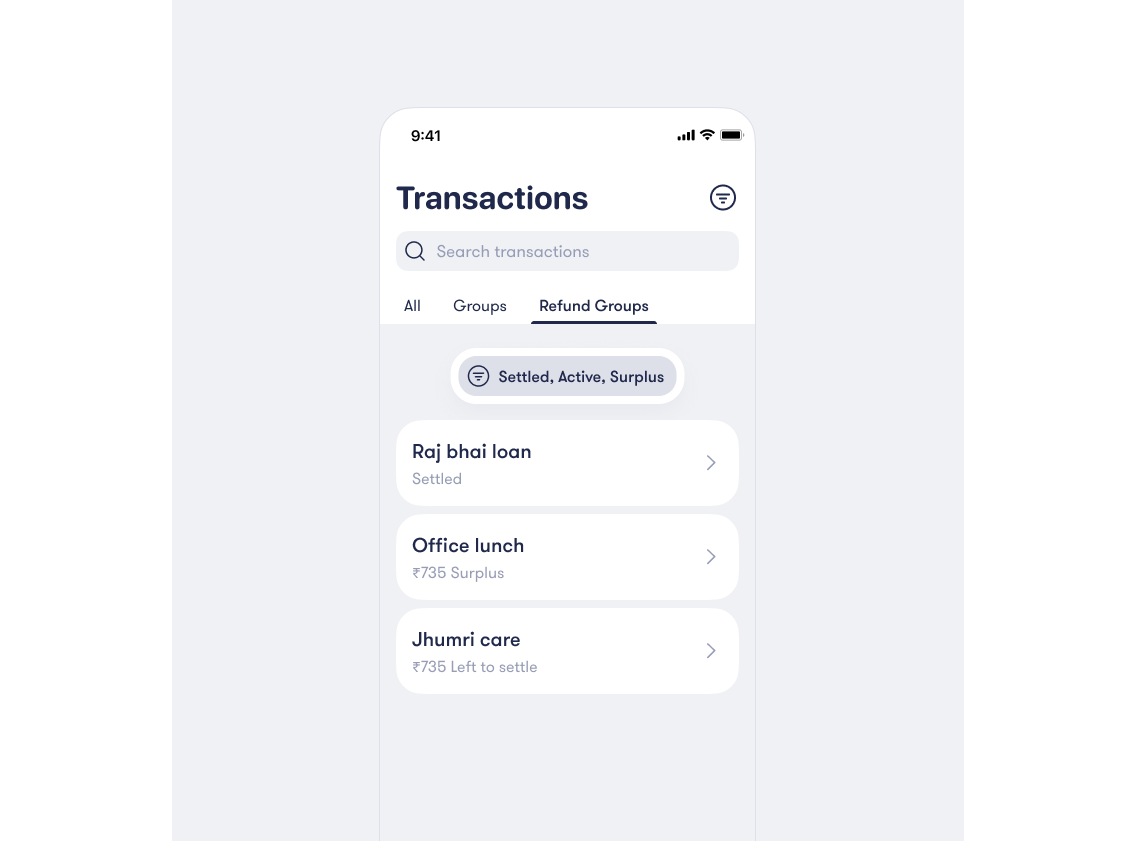
If you want to track a set of related refunds more intentionally, you can group these transactions into a refund group. These groups are pinned to your Transactions tab and show a clear picture of what is settled, what is surplus, and what is still pending.
We hope this feature helps you see your cash flow more clearly, with less manual effort. If we can save even a few seconds of your time, time you can spend doing better things than managing money, we will consider it a win.
Let us know what you think at [email protected].