
There is an old Aesop fable about a group of mice and a cat.
The cat moves quietly. It slips in on soft feet and picks the mice off one by one, and they never hear it coming. So the mice hold a meeting, and one of them has a brilliant idea: tie a bell around the cat's neck. Then they will always hear it approach.
Everyone agrees it is a wonderful plan. Then someone asks who is going to tie the bell, and the room goes silent. Nobody is brave enough to bell the cat.
Money behaves a lot like that cat. It rarely leaves all at once. It goes in small, quiet steps: a subscription here, a UPI payment there, an auto-debit you set up two years ago and forgot about. You do not hear it move. And then one morning an EMI bounces, or a SIP fails, or a bill payment does not go through, and you find out the hard way that the account you thought was fine has been running low for a week.
We have learnt to ignore the bell
In theory, your bank already rings a bell. Every debit comes with an SMS.
In practice, most of us stopped reading those a long time ago. They arrive in the same inbox as OTPs, delivery updates, loan offers and promotional messages from brands we bought from once. They all look the same. After a while, the chime of an SMS means nothing at all, and the one message that mattered gets swiped away with the rest.
At Fold, we treat notifications with a lot of care for exactly this reason. They might be the most useful thing in the app, but only if every one of them is worth reading. So you decide exactly which notifications you get, and we try hard not to send anything that does not tell you something you would want to know.
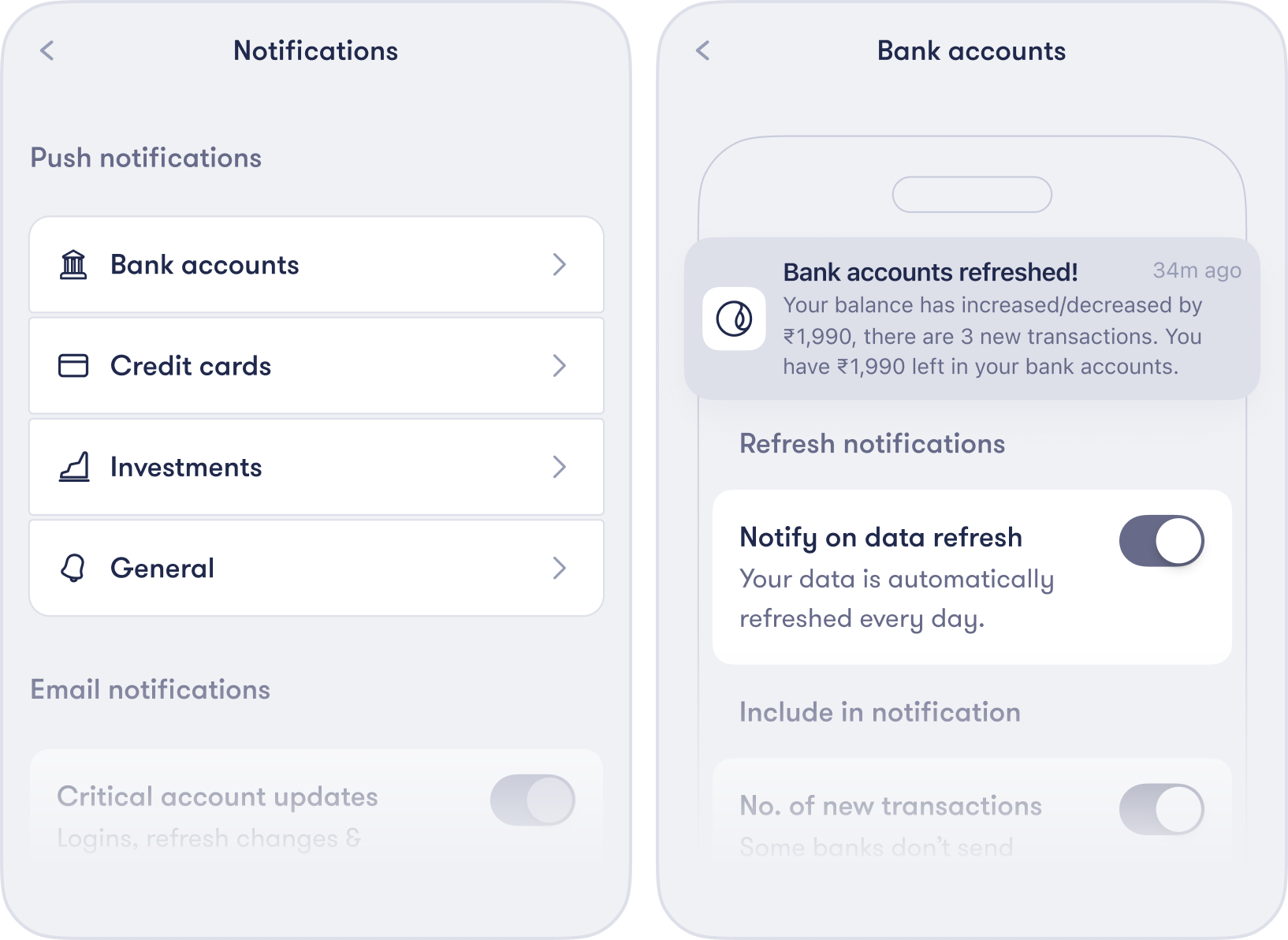
Balance Alerts
One of those notifications is Balance Alerts.
You pick a bank account and set a threshold, say ₹10,000. If the balance in that account drops below it, Fold sends you an alert. That is the whole feature. It is simple on purpose.
To turn it on:
- Go to Profile → Banks and tap the account.
- Tap Balance Alerts.
- Set the amount you want to be warned at, and save.
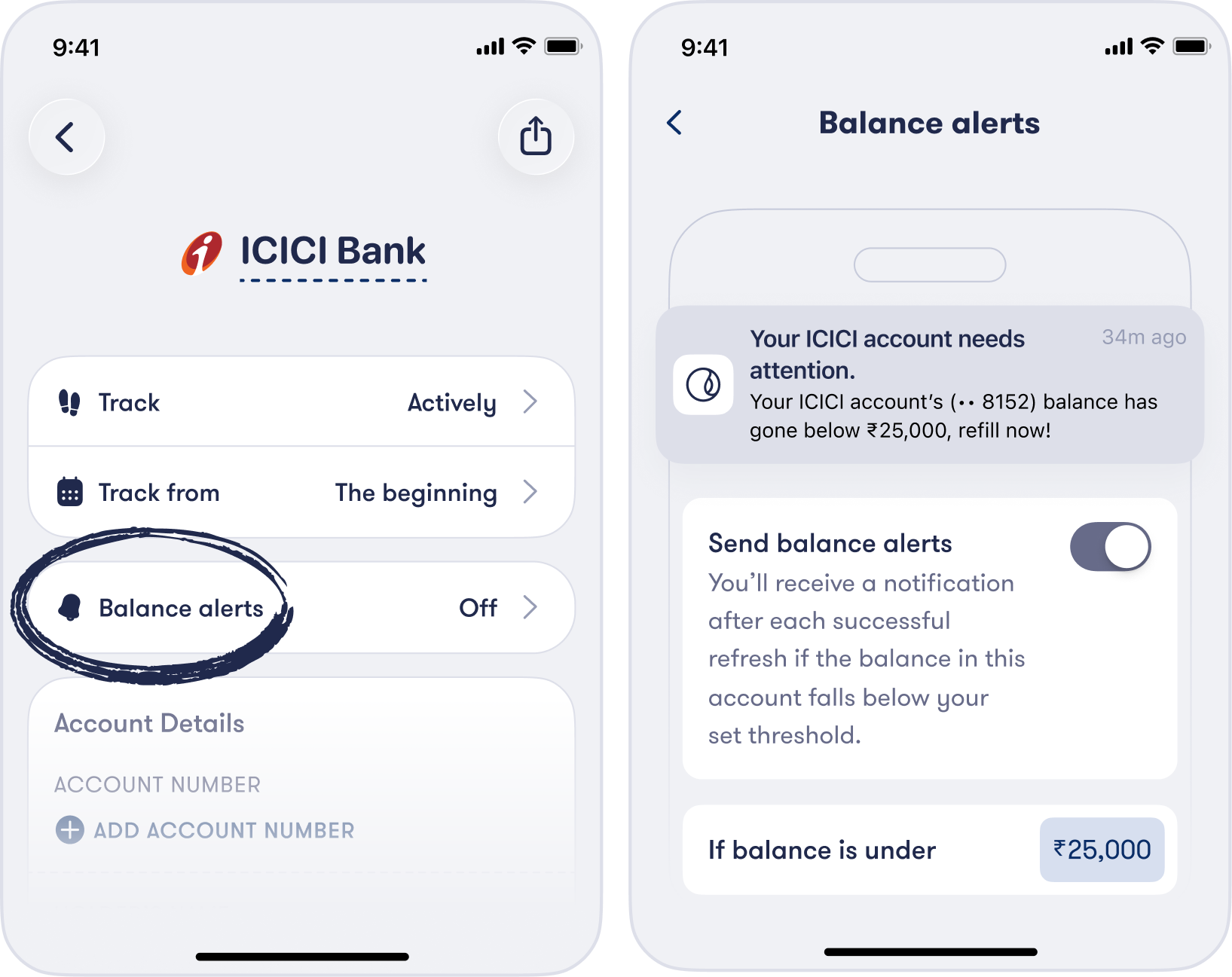
You can set a different threshold for each account, change it whenever you like, or turn it off.
Where it is most useful
The account your auto-debits come from. Most people have one account that SIPs, EMIs, insurance premiums and bills are debited from. A failed auto-debit usually costs you a bounce charge from the bank, sometimes a late fee from the lender, and occasionally a mark on your credit report. Setting an alert a little above what is due each month gives you time to top it up.
A minimum you never want to cross. Some people keep an emergency buffer in their savings account. Others need to keep a minimum average balance to avoid charges. Put the threshold there and Fold will tell you before you go under.
An account you look after for someone else. If you keep an eye on a parent's account on Fold, a balance alert means they never have to call you to say they are running low. You will already know.
A note on timing
Bank data on India's Account Aggregator network is not real time. Fold fetches your bank balances once a day, at a time you can choose, and whenever you refresh manually. A balance alert fires when Fold sees the new balance, so it will usually reach you within a day of the drop, not the minute it happens. For an account that funds monthly debits, that is normally plenty of warning. If you want card spends the moment they happen, card transaction notifications on Fold arrive within seconds of a swipe.
Less anxiety, not more
The point of an alert like this is not to make you check your money more often. It is the opposite. If you know you will hear about it when an account needs attention, you can stop opening the app to check. The bell does the watching for you.
If you have turned Fold's notifications off, or never turned them on, we would gently suggest trying them for a week. You can switch any of them off whenever you like. You are the one in control.
P.S. This cat needs no bell. Meet Jhumri, our office cat.